SMS API Without Twilio: Send and Receive Texts From Your Own Number
An SMS API that sends from your own number: connect an Android phone, get an API key and send texts with cURL, Python, Node.js, PHP or Go. Free plan to start.

Most SMS APIs charge per message and send from numbers you do not own, so customers cannot reply and you inherit carrier registration paperwork. There is another way: turn an Android phone with your SIM into the gateway and send and receive SMS through a REST API from your own number. This guide covers setup, working code in five languages, error handling, delivery status, scheduling, limits, and an honest take on when a wholesale provider is the better choice.
How does an SMS API based on your own phone work?
Your app sends an HTTP request to smsportal, the server hands the job to your phone, and the phone sends a normal SMS over your carrier. The recipient sees your regular number and can reply. Replies flow back through the same channel to the dashboard, the API and webhooks.
The flow:
- Your code calls
POST /gateway/send-smswith your API key. - The server accepts the job and returns a
smsBatchId(accepted, not yet sent). - The phone picks up the job and sends the SMS from its SIM.
- The phone reports back: sent, delivered or failed.
There is no per-message fee from smsportal. You pay your mobile plan (many EU and US plans include unlimited texting) plus a smsportal plan, with a free plan to start. See pricing. For a cost breakdown against per-message providers, read SMS API cost comparison.
Note: the phone is the transmitter. It needs power, signal and internet. If it is offline, queued messages wait up to 72 hours and then expire.
What do you need to get started?
You need three things and about 15 minutes:
- an Android phone (7.0 or newer) with an active SIM, ideally kept on a charger,
- a smsportal account (sign up, the free plan is enough),
- any language that can make an HTTP request: cURL, Python, Node.js, PHP, Go.
Download the app directly: smsportal.apk. For the broader picture of phone-based gateways, see what an Android SMS gateway is, and the Android app features page.
Step 1: How do you connect the phone?
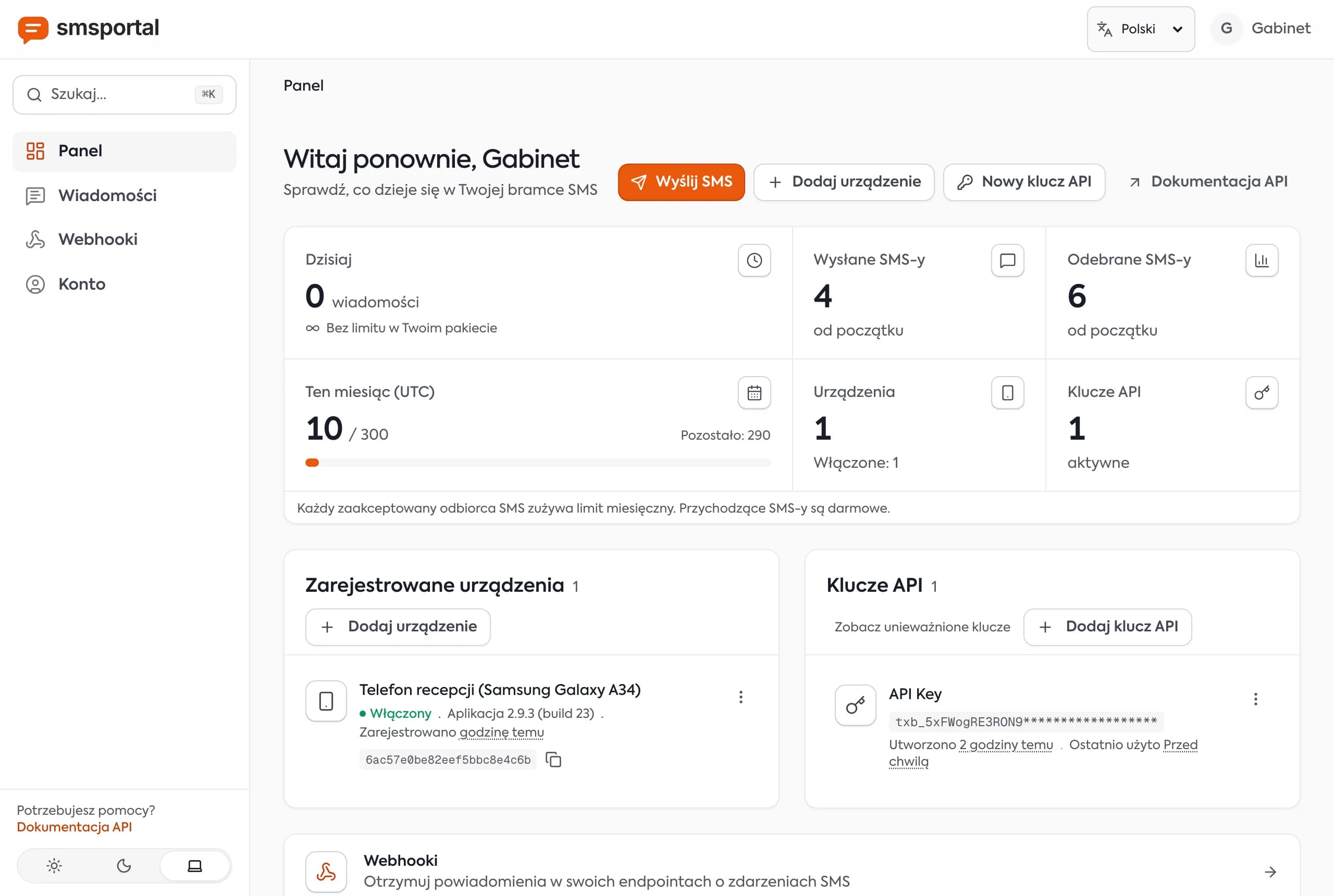
Install the app, grant SMS permissions and scan the QR code from the dashboard. The phone then appears as a device. This is a one-time setup.
- Install the APK on the phone whose SIM you want to send from.
- Walk through the short onboarding and allow sending and receiving SMS.
- In the dashboard choose Add device and scan the QR code (or enter the key manually).
- Name the phone, for example "Front desk".
On the permissions screen, also exempt the app from battery optimization. Android can put background apps to sleep, which stalls sending.
Step 2: How do you create an API key?
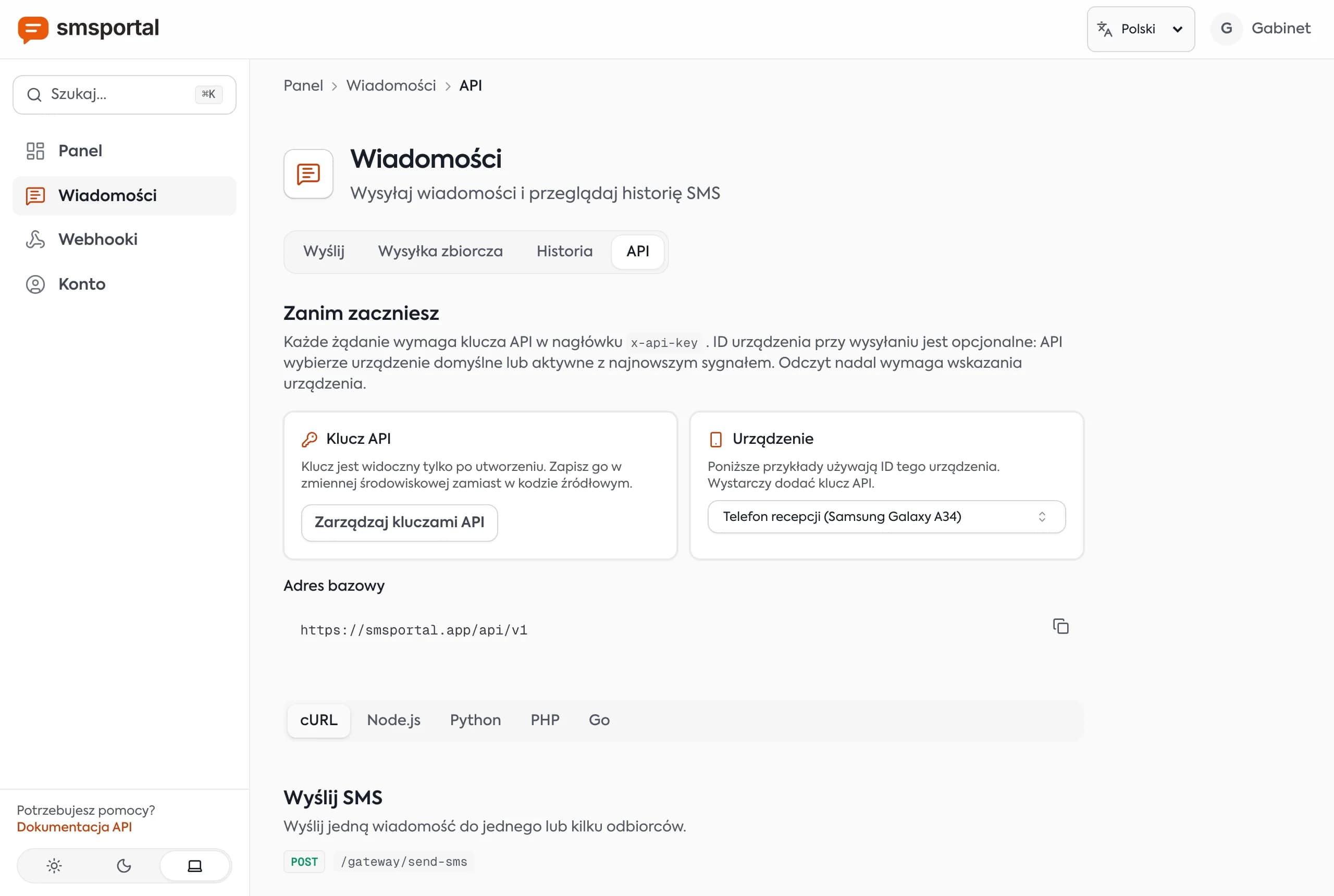
Create the key in the dashboard with one click. It identifies your account and can be revoked at any time. Keep it in an environment variable, never in a repository.
export SMSPORTAL_API_KEY="paste_your_key_here"Every request carries the key in the x-api-key header. The base URL is https://smsportal.app/api/v1.
Step 3: How do you send your first SMS through the API?
POST to /gateway/send-sms with recipients in international format and the message text. With one device you can omit deviceId: the API uses your default device, or otherwise the most recently active one.
| Field | Required | Description |
|---|---|---|
recipients | yes | Array of phone numbers in international format, e.g. ["+14155550101"] |
message | yes | Message text |
deviceId | no | Pick a specific phone |
simSubscriptionId | no | Pick the SIM on a dual-SIM phone |
scheduledAt | no | ISO 8601 time in the future |
cURL
curl -X POST "https://smsportal.app/api/v1/gateway/send-sms" \
  -H "x-api-key: $SMSPORTAL_API_KEY" \
  -H "Content-Type: application/json" \
  -d '{
    "recipients": ["+14155550101"],
    "message": "Your car is ready for pickup. Smith Auto, 12 Main St."
  }'
A successful call returns HTTP 200:
{
  "data": {
    "success": true,
    "message": "Message queued for delivery",
    "smsBatchId": "665f1c2a9b1e4a0012ab34cd"
  }
}
Keep the smsBatchId. You will use it to look up every message in that send.
Python
import os
import requests

API = "https://smsportal.app/api/v1"
HEADERS = {"x-api-key": os.environ["SMSPORTAL_API_KEY"]}

res = requests.post(
    f"{API}/gateway/send-sms",
    headers=HEADERS,
    json={
        "recipients": ["+14155550101"],
        "message": "Reminder: your appointment is tomorrow at 10:00. Reply YES to confirm.",
    },
    timeout=15,
)
res.raise_for_status()
print(res.json()["data"]["smsBatchId"])
Node.js
const API = 'https://smsportal.app/api/v1'

const res = await fetch(`${API}/gateway/send-sms`, {
  method: 'POST',
  headers: {
    'x-api-key': process.env.SMSPORTAL_API_KEY,
    'Content-Type': 'application/json',
  },
  body: JSON.stringify({
    recipients: ['+14155550101'],
    message: 'Order 1042 has shipped. Tracking: 5200123456.',
  }),
})

if (!res.ok) throw new Error(`HTTP ${res.status}: ${await res.text()}`)
console.log((await res.json()).data.smsBatchId)
PHP
<?php
$ch = curl_init('https://smsportal.app/api/v1/gateway/send-sms');

curl_setopt_array($ch, [
    CURLOPT_POST => true,
    CURLOPT_RETURNTRANSFER => true,
    CURLOPT_TIMEOUT => 15,
    CURLOPT_HTTPHEADER => [
        'x-api-key: ' . getenv('SMSPORTAL_API_KEY'),
        'Content-Type: application/json',
    ],
    CURLOPT_POSTFIELDS => json_encode([
        'recipients' => ['+14155550101'],
        'message' => 'Hi! Your appointment is tomorrow at 10:00.',
    ]),
]);

$body = curl_exec($ch);
$status = curl_getinfo($ch, CURLINFO_HTTP_CODE);
curl_close($ch);

if ($status !== 200) {
    throw new RuntimeException("HTTP $status: $body");
}
echo json_decode($body, true)['data']['smsBatchId'];
Go
package main

import (
	"bytes"
	"fmt"
	"io"
	"net/http"
	"os"
)

func main() {
	body := []byte(`{"recipients":["+14155550101"],"message":"Test from Go"}`)

	req, _ := http.NewRequest("POST",
		"https://smsportal.app/api/v1/gateway/send-sms",
		bytes.NewBuffer(body))
	req.Header.Set("x-api-key", os.Getenv("SMSPORTAL_API_KEY"))
	req.Header.Set("Content-Type", "application/json")

	res, err := http.DefaultClient.Do(req)
	if err != nil {
		panic(err)
	}
	defer res.Body.Close()

	out, _ := io.ReadAll(res.Body)
	if res.StatusCode != http.StatusOK {
		panic(fmt.Sprintf("HTTP %d: %s", res.StatusCode, out))
	}
	fmt.Println(string(out))
}
For reusable helpers with retries and status polling, see send SMS from Python, Node.js and PHP. Field details are in the API docs.
Tip: there is no official SDK package on npm or pip. Plain
fetch,requestsor cURL is enough and adds no dependency.
How do you handle errors from the SMS API?
Check the HTTP status of every request. 200 means the job was accepted. 400, 401 and 429 each have a specific cause, and retrying them blindly will not help.
| Code | Cause | What to do |
|---|---|---|
| 200 | Job accepted | Store smsBatchId |
| 400 | No enabled device, empty message or recipients, invalid deviceId, unverified email, bad scheduledAt | Fix the input, the response body explains |
| 401 | Missing, invalid or revoked API key | Check the x-api-key header |
| 429 | Daily, monthly or per-batch plan limit used up | Read the body to see which limit, then wait or change plan |
Python example:
res = requests.post(
    f"{API}/gateway/send-sms", headers=HEADERS, timeout=15,
    json={"recipients": ["+14155550101"], "message": "Test"},
)

if res.status_code == 200:
    print("OK", res.json()["data"]["smsBatchId"])
elif res.status_code == 429:
    print("Plan limit reached:", res.text)   # do not retry right away
elif res.status_code in (400, 401):
    print("Request error:", res.text)        # fix input or key
else:
    print("Server error, retry later:", res.status_code)
Remember that accepted does not mean delivered. The API returns 200 once the job is queued. The phone still has to be online and send the message.
How do you check whether an SMS was delivered?
Query GET /gateway/messages with the smsBatchId, or receive the status instantly through a webhook. A message moves from pending through dispatched and sent to delivered, or ends as failed.
curl "https://smsportal.app/api/v1/gateway/messages?smsBatchId=665f1c2a9b1e4a0012ab34cd" \
  -H "x-api-key: $SMSPORTAL_API_KEY"
The response lists messages with status, recipient, sentAt and deliveredAt. To list only the failures from a batch, add &status=failed.
| Status | Meaning |
|---|---|
pending | Accepted, the phone has not processed it yet |
dispatched | Handed to the phone |
sent | The phone passed the SMS to the carrier network |
delivered | The carrier confirmed delivery (delivery report) |
failed | Sending failed, e.g. invalid number or no signal |
In the dashboard these appear as the labels queued (pending and dispatched), sent (sent), delivered (delivered) and failed (failed).
A missing delivery report is not always a failure: some networks and numbers never return one. Treat sent as "left the phone" and delivered as network confirmation.
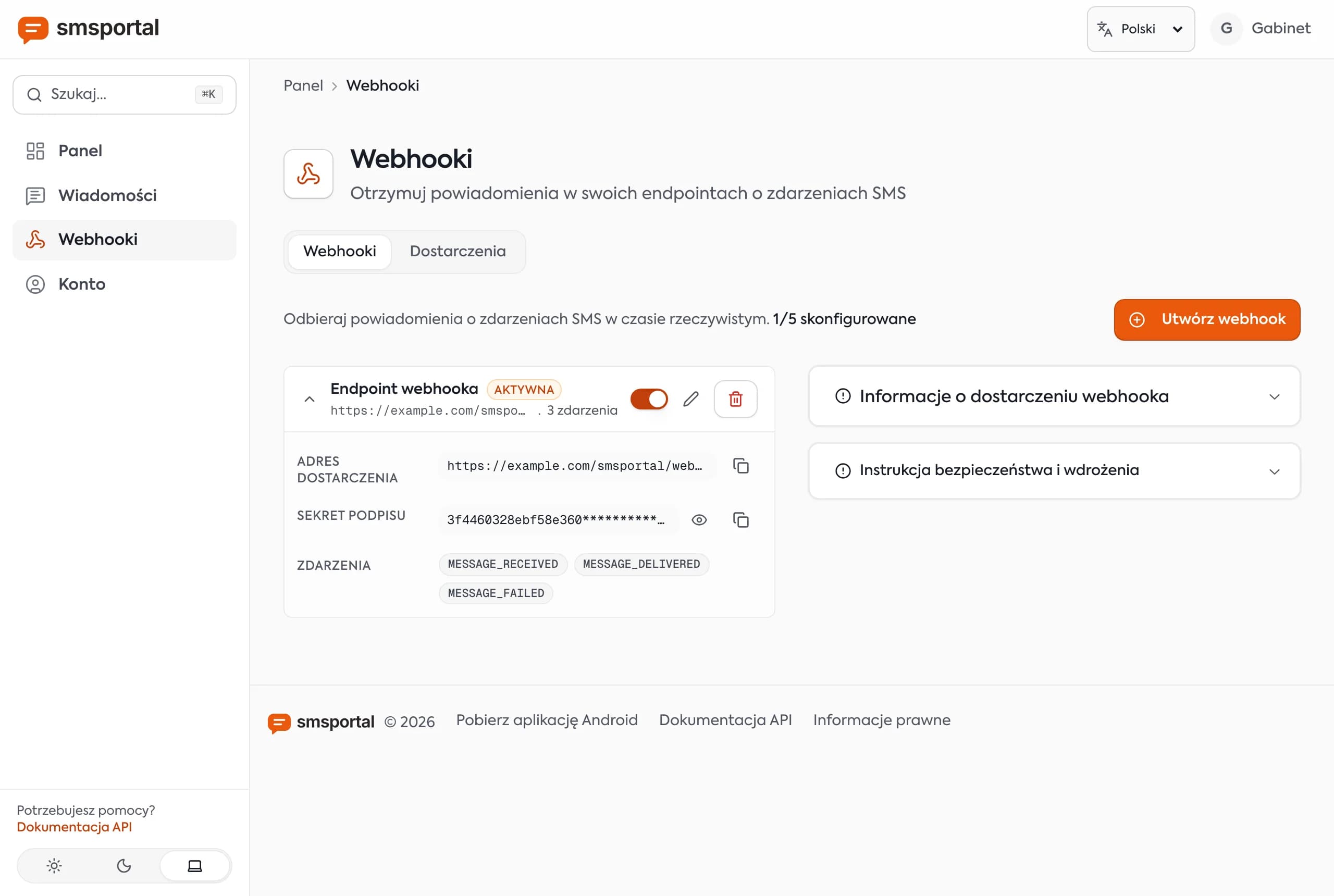
Instead of polling in a loop, set up a webhook for MESSAGE_SENT, MESSAGE_DELIVERED and MESSAGE_FAILED. Building and verifying one is covered in receive SMS replies with webhooks.
How do you receive replies through the API?
Replies to your number are stored as received messages. Fetch them with GET /gateway/messages?direction=received, or get a MESSAGE_RECEIVED webhook as they arrive.
curl "https://smsportal.app/api/v1/gateway/messages?direction=received" \
  -H "x-api-key: $SMSPORTAL_API_KEY"
This is what makes the number a true two-way channel: a customer answers "YES" to an appointment reminder and your system confirms the booking. Webhook deliveries carry an X-Signature header (HMAC-SHA256 of the body) so you can verify them, and retried deliveries carry an idempotencyKey for deduplication. Full walkthrough: receive SMS with webhooks.
How do you send in bulk or schedule a text?
Use POST /gateway/send-bulk-sms for many messages with different text, and add scheduledAt to send-sms to send later.
Bulk, each entry has its own text and recipients:
curl -X POST "https://smsportal.app/api/v1/gateway/send-bulk-sms" \
  -H "x-api-key: $SMSPORTAL_API_KEY" \
  -H "Content-Type: application/json" \
  -d '{
    "messages": [
      { "recipients": ["+14155550101"], "message": "Hi Anna, your visit is tomorrow at 10:00." },
      { "recipients": ["+16475550187"], "message": "Hi Peter, your visit is tomorrow at 11:30." }
    ]
  }'
Scheduled (ISO 8601, in the future):
curl -X POST "https://smsportal.app/api/v1/gateway/send-sms" \
  -H "x-api-key: $SMSPORTAL_API_KEY" \
  -H "Content-Type: application/json" \
  -d '{
    "recipients": ["+14155550101"],
    "message": "Reminder: your appointment is tomorrow at 10:00.",
    "scheduledAt": "2026-10-08T08:00:00Z"
  }'
The server holds the message and dispatches it at that time. That is the backbone of automated appointment reminders. To send from a spreadsheet, the dashboard also accepts a CSV with column variables in the text, covered in bulk SMS from CSV.
On a dual-SIM phone, choose the SIM with simSubscriptionId. Without it, the phone's default SIM is used.
How many texts can you send, and what about character limits?
One phone sends about 12 texts per minute, because the app waits 5 seconds between messages by default. A GSM-7 segment holds 160 characters, and one non-GSM character switches the message to UCS-2 with 70 per segment.
- Pace: 5 s between messages is roughly 720 per hour per phone. You can change the delay in the app. Large sends are released by the server in waves matched to that delay.
- More volume: connect several phones (devices) and spread the sends.
- Characters: "Your order has shipped" fits one segment. Add an emoji or an accented letter such as "ś" and the whole message becomes UCS-2, so the segment is 70 characters. Longer texts split into multiple segments.
- Counter: the compose screen in the app shows characters and segments live.
When should you use a wholesale SMS API instead?
Use your own number for transactional, two-way and low-to-medium volume messages. Use a wholesale provider for large marketing blasts and when you need a branded sender ID.
| Situation | Own number (smsportal) | Wholesale SMS API |
|---|---|---|
| Appointment reminders, order updates, confirmations | Very good | Good |
| Customer replies to the text | Yes, to dashboard, API and webhook | Often needs a separate inbound number |
| Cost per message | No smsportal fee, you pay your mobile plan | Per-message fee, e.g. about $0.0083 per US segment plus carrier fees at Twilio, or about €0.035 per SMS to the US at SMSAPI.pl (as of October 2026, check current rates) |
| Alphanumeric sender ID | Not available | Available in many countries |
| Tens of thousands of texts per campaign | No | Yes |
| US carrier registration (10DLC) | A personal SIM is not registered, so carriers may filter automated traffic | Required for US application-to-person traffic, see Twilio's A2P 10DLC docs |
Carriers can restrict bulk sending from consumer SIMs and it can breach their fair-use terms. So the honest advice is to send marketing blasts through a wholesale provider and keep one-to-one and transactional messages on your own number. For a deeper look, read when not to use an SMS gateway and 10DLC explained. Alternatives are compared in Twilio alternatives for small volume. Marketing texts also need recipient consent under local law. This is not legal advice.
How do you connect the SMS API to automations and AI agents?
The same API key works with no-code tools and with the MCP server for AI assistants. For automation, use an HTTP request node. For agents, use the ready-made MCP tools.
- n8n, Make, Zapier: use an HTTP Request node with the
x-api-keyheader calling/gateway/send-sms, and a webhook trigger for replies. There is no native app in those platforms, but plain HTTP covers it. See n8n send and receive SMS. - AI agents: the MCP server at
https://smsportal.app/mcpgives Claude Code, Cursor and Codex tools to send and read SMS. Guide: SMS MCP server for AI agents and the MCP integration page. - One-time codes: see SMS OTP and 2FA from your own number, including the 72-hour queue caveat.
Everything that went through the API shows up on the phone too, as an activity list with filters and a per-message timeline.
How do you test the integration before going live?
Test in three steps: your own number, deliberate errors and an offline phone. You will see every status and error code before a customer does.
- Your own number. Send yourself a message and open its timeline in the app.
- Errors. Use a random key in
x-api-key(expect 401), an empty message (expect 400) and ascheduledAtin the past (expect 400). Make sure your code does not retry them. - Offline phone. Turn off the phone's internet, send a text and watch the
pendingstatus. When internet returns it should move tosent, thendelivered.
In automated tests, do not send real texts. Replace the send function with a mock and assert it receives the right number and text. Add a separate test returning 401 and 500 to confirm that only transient errors are retried.
How do you protect the API key and customer data?
Keep the key in an environment variable or a secrets manager and treat phone numbers as personal data. You can revoke the key in the dashboard at any time, so generate a new one if you suspect a leak.
- Separate keys for production, testing and each integration let you revoke one without breaking the others.
- Never call the API from a browser. Make requests server-side, since anyone can read browser code.
- Do not log message bodies containing one-time codes or health details. Log the
smsBatchIdand status instead. - Keep content minimal. SMS is not end-to-end encrypted to the recipient, so do not send passwords or full personal records.
Phone numbers fall under privacy law (GDPR in the EU), and marketing texts need consent. This is not legal advice.
What if a message never arrives?
Start with the status from the API, because it shows where the message got stuck. Most causes are on the phone side, not in your code.
| Status or symptom | Likely cause | What to do |
|---|---|---|
pending for a long time | Phone offline or app asleep | Restore internet, disable battery optimization |
sent, never delivered | Network returns no delivery reports | Usually fine, the message may have arrived |
failed | Bad number, no signal or no credit on the SIM | Check the international format and the SIM |
| HTTP 400 on send | No enabled device | Enable the phone in the dashboard |
| HTTP 429 | Plan limit | Check usage in the dashboard |
If everything looks right, send a message by hand from the compose screen in the app. If that works but the API call does not, the problem is in the request. If manual sending fails too, look at the SIM and the carrier.
Production checklist before the first real customer
Check seven items before launch. It takes about 10 minutes and avoids the most common mistakes.
- The API key is in an environment variable, not in the repository.
- Your code checks the HTTP status and stores the
smsBatchId. - You retry only transient errors (timeouts, 5xx) with a growing delay.
- The phone has constant power, internet and battery optimization disabled.
- A webhook on
MESSAGE_FAILEDalerts you to failed sends. - One-time codes have a short validity enforced by your own code, since the offline queue expires after 72 hours.
- You know the limit: about 720 texts per hour from one phone.
What are the most common problems?
Most problems are the phone, not your code. Start with the device health screen in the app and the API status code.
- 400 "no enabled device": the phone is disabled in the dashboard or was never connected. Check the device list.
- Status stuck on
pending: the phone is offline or Android put the app to sleep. Disable battery optimization and check internet. - Status
failed: invalid number, no credit or signal on the SIM, or a carrier block. Use the+1...or+48...international format. - No
deliveredstatus: the network did not return a delivery report. The message may still have arrived, and the status stayssent. - One-time codes: after 72 hours offline the queue expires, so give the code itself a short validity.
More on keeping the gateway stable is on the reliability page.
Send your first API text in 15 minutes
Create an account, connect a phone, generate a key and paste one of the examples above. The free plan covers testing the whole loop, including statuses and a webhook.
- Create a smsportal account.
- Install the Android app and scan the QR code.
- Run the
curlexample from your own computer to your own number, then reply to it.
When your volume grows, check the plans and the guide to Android SMS gateways.
Frequently asked questions
Is there any free API to send SMS?
No SMS API is truly free, because someone has to pay the carrier. With smsportal the text leaves your own SIM, so you pay your mobile plan (often unlimited texts) and there is no per-message fee from smsportal. There is also a free plan to start, so you can test the whole API at no cost.
How do I send an SMS using a REST API?
Send a POST request to /gateway/send-sms with an x-api-key header and a JSON body containing recipients (an array of E.164 numbers) and message. A 200 response means the request was accepted and returns a smsBatchId you use to check delivery status.
Can I receive replies through the API?
Yes. Replies arrive at your own number, so they show up in the dashboard, in GET /gateway/messages?direction=received, and as MESSAGE_RECEIVED webhook events. That makes two-way flows like replying YES to confirm an appointment possible.
Do I need 10DLC registration to send SMS this way?
10DLC registration applies to business application-to-person (A2P) traffic sent on 10DLC numbers through messaging providers. A personal SIM is not registered, so US carriers may filter or block automated traffic from it. In the US, an own-SIM gateway only fits low-volume, consented, conversational messaging. Read [10DLC explained](/en/blog/10dlc-do-you-need-it) before sending business traffic.
How many texts per minute can the API send?
The limit comes from the phone and the carrier, not the API. The app waits 5 seconds between messages by default, about 12 per minute or roughly 720 per hour per phone. For more volume, connect several phones or use a wholesale provider.
Is there an official SDK for the SMS API?
No. There is no official npm or pip package for smsportal. The API is plain HTTP with one header, so fetch, requests or cURL are all you need.