Send SMS From Python, Node.js and PHP Without Twilio (Copy-Paste Code)
How to send SMS using Python, Node.js or PHP through a REST API from your own number: copy-paste code, retries, error handling and delivery status checks.
If you want to send SMS from Python, Node.js or PHP without paying per message, the smsportal API takes one HTTP request and sends the text from your own number through an Android phone. Below are copy-paste functions in all three languages with timeouts, retries, error handling and a delivery status check. For phone setup and the bigger picture, start with the SMS API guide; this article is about code.
What do you need before writing code?
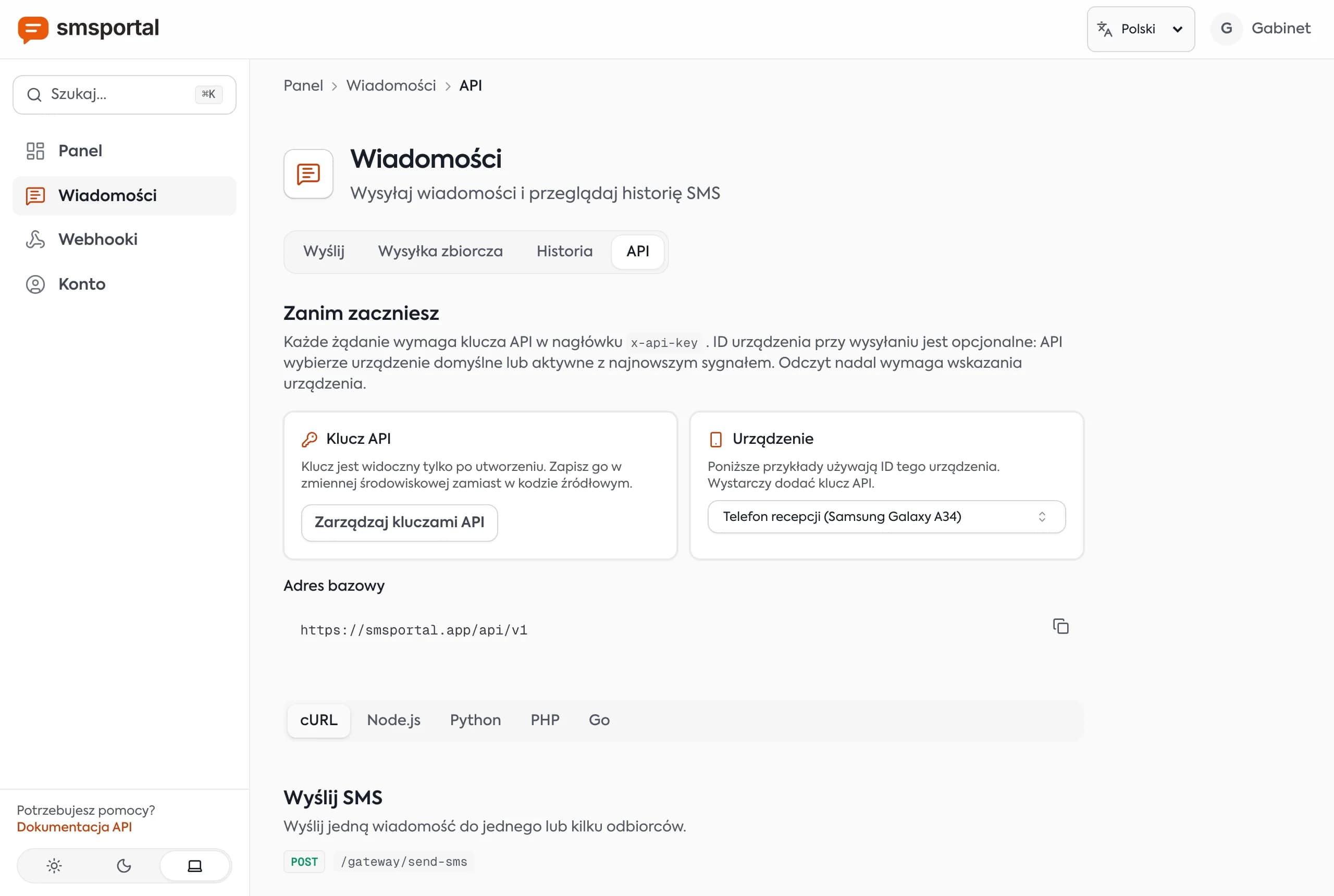
You need an API key and a connected phone. The rest is one POST. The base URL is https://smsportal.app/api/v1 and the key goes in the x-api-key header.
- Create a smsportal account and connect an Android phone (QR code).
- Generate an API key in the dashboard.
- Store it in an environment variable:
export SMSPORTAL_API_KEY="paste_your_key_here"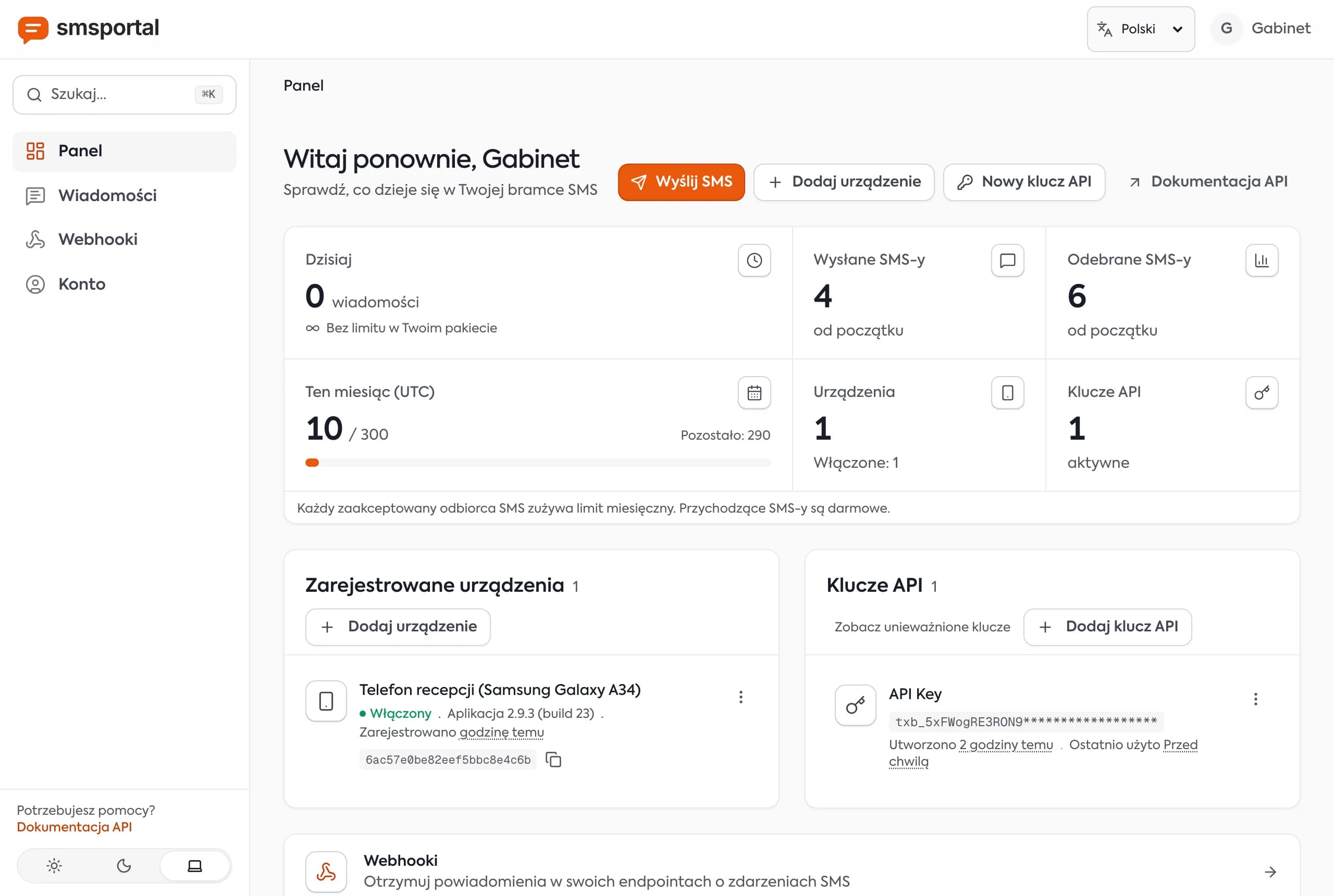
Note: there is no official SDK on npm, pip or Packagist. The examples use plain HTTP, so they work in any recent version of each language and add no dependencies.
What does the smallest working request look like?
It is a single curl call. Run it first to confirm the key and phone work before you write any code.
curl -X POST "https://smsportal.app/api/v1/gateway/send-sms" \
  -H "x-api-key: $SMSPORTAL_API_KEY" \
  -H "Content-Type: application/json" \
  -d '{"recipients": ["+14155550101"], "message": "Test from my terminal"}'
A 200 response contains data.smsBatchId. Use international format (+1..., +44..., +48...) for numbers.
How do you send an SMS in Python?
Install requests (pip install requests) and use the function below. It has a timeout, checks the status code and retries only transient failures.
import os
import time
import requests

API = "https://smsportal.app/api/v1"
HEADERS = {"x-api-key": os.environ["SMSPORTAL_API_KEY"]}


def send_sms(recipients, message, scheduled_at=None, retries=3):
    payload = {"recipients": recipients, "message": message}
    if scheduled_at:
        payload["scheduledAt"] = scheduled_at  # ISO 8601, in the future

    for attempt in range(retries):
        try:
            res = requests.post(
                f"{API}/gateway/send-sms",
                headers=HEADERS, json=payload, timeout=15,
            )
        except requests.RequestException:
            time.sleep(2 ** attempt)           # network error: retry
            continue

        if res.status_code == 200:
            return res.json()["data"]["smsBatchId"]
        if res.status_code >= 500:
            time.sleep(2 ** attempt)           # server error: retry
            continue
        # 400, 401, 429: retrying will not change the result
        raise RuntimeError(f"HTTP {res.status_code}: {res.text}")

    raise RuntimeError("SMS not sent after several attempts")


batch_id = send_sms(["+14155550101"], "Your car is ready for pickup. Smith Auto.")
print(batch_id)
In Django or FastAPI, run it in a background task (Celery, RQ) so the user request does not wait on the network.
How do you send an SMS in Node.js?
Node.js 18 or newer ships fetch, so there is nothing to install. The function has the same contract as the Python one.
const API = 'https://smsportal.app/api/v1'
const headers = {
  'x-api-key': process.env.SMSPORTAL_API_KEY,
  'Content-Type': 'application/json',
}
const sleep = (ms) => new Promise((r) => setTimeout(r, ms))

export async function sendSms(recipients, message, scheduledAt, retries = 3) {
  const payload = { recipients, message, ...(scheduledAt && { scheduledAt }) }

  for (let attempt = 0; attempt < retries; attempt++) {
    let res
    try {
      res = await fetch(`${API}/gateway/send-sms`, {
        method: 'POST',
        headers,
        body: JSON.stringify(payload),
        signal: AbortSignal.timeout(15000),
      })
    } catch {
      await sleep(2 ** attempt * 1000) // network error: retry
      continue
    }

    if (res.ok) return (await res.json()).data.smsBatchId
    if (res.status >= 500) {
      await sleep(2 ** attempt * 1000) // server error: retry
      continue
    }
    // 400, 401, 429: retrying will not change the result
    throw new Error(`HTTP ${res.status}: ${await res.text()}`)
  }
  throw new Error('SMS not sent after several attempts')
}

console.log(await sendSms(['+14155550101'], 'Order 1042 has shipped.'))
How do you send an SMS in PHP?
PHP's built-in cURL extension is enough. The function below returns the batch id or throws an exception that includes the response body.
<?php
const SMSPORTAL_API = 'https://smsportal.app/api/v1';

function sendSms(array $recipients, string $message, ?string $scheduledAt = null): string
{
    $payload = ['recipients' => $recipients, 'message' => $message];
    if ($scheduledAt !== null) {
        $payload['scheduledAt'] = $scheduledAt; // ISO 8601, in the future
    }

    $ch = curl_init(SMSPORTAL_API . '/gateway/send-sms');
    curl_setopt_array($ch, [
        CURLOPT_POST => true,
        CURLOPT_RETURNTRANSFER => true,
        CURLOPT_TIMEOUT => 15,
        CURLOPT_HTTPHEADER => [
            'x-api-key: ' . getenv('SMSPORTAL_API_KEY'),
            'Content-Type: application/json',
        ],
        CURLOPT_POSTFIELDS => json_encode($payload),
    ]);

    $body = curl_exec($ch);
    $status = curl_getinfo($ch, CURLINFO_HTTP_CODE);
    $error = curl_error($ch);
    curl_close($ch);

    if ($body === false) {
        throw new RuntimeException("Network error: $error");
    }
    if ($status !== 200) {
        throw new RuntimeException("HTTP $status: $body", $status);
    }

    return json_decode($body, true)['data']['smsBatchId'];
}

echo sendSms(['+14155550101'], 'Your appointment is tomorrow at 10:00.');
If you already use Guzzle, the same call is $client->post($url, ['headers' => [...], 'json' => [...]]).
Which errors should you retry?
Retry only transient failures: network errors, timeouts and 5xx responses. Everything else needs a fix on your side, and a blind retry after a timeout can send the customer the same text twice.
| Code | Meaning | Retry? |
|---|---|---|
| 200 | Job accepted | No, store smsBatchId |
| 400 | Bad number or message, no enabled device, bad scheduledAt | No, fix the data |
| 401 | Invalid or revoked key | No, check x-api-key |
| 429 | Plan limit used up (daily, monthly or per batch) | Not right away |
| 5xx, timeout | Server or network problem | Yes, with growing delay |
Tip: after a timeout the request may still have reached the server. Before retrying, list recent messages with
GET /gateway/messagesand look for your text, so one customer does not get two identical SMS.
How do you check the delivery status in code?
Call GET /gateway/messages with the smsBatchId from the send response. The status moves from pending through dispatched and sent to delivered, or ends as failed.
res = requests.get(
    f"{API}/gateway/messages",
    headers=HEADERS,
    params={"smsBatchId": batch_id},
    timeout=15,
)
for m in res.json()["data"]:
    print(m["recipient"], m["status"])
The same in Node.js:
const url = new URL(`${API}/gateway/messages`)
url.searchParams.set('smsBatchId', batchId)

const res = await fetch(url, { headers: { 'x-api-key': process.env.SMSPORTAL_API_KEY } })
const { data } = await res.json()
data.forEach((m) => console.log(m.recipient, m.status))
In the dashboard these appear as the labels queued (pending and dispatched), sent (sent), delivered (delivered) and failed (failed). Add status=failed to see only the failed messages from a batch. sent means the phone passed the SMS to the network; delivered is the carrier's confirmation. Some networks never return delivery reports, so a missing delivered is not always an error.
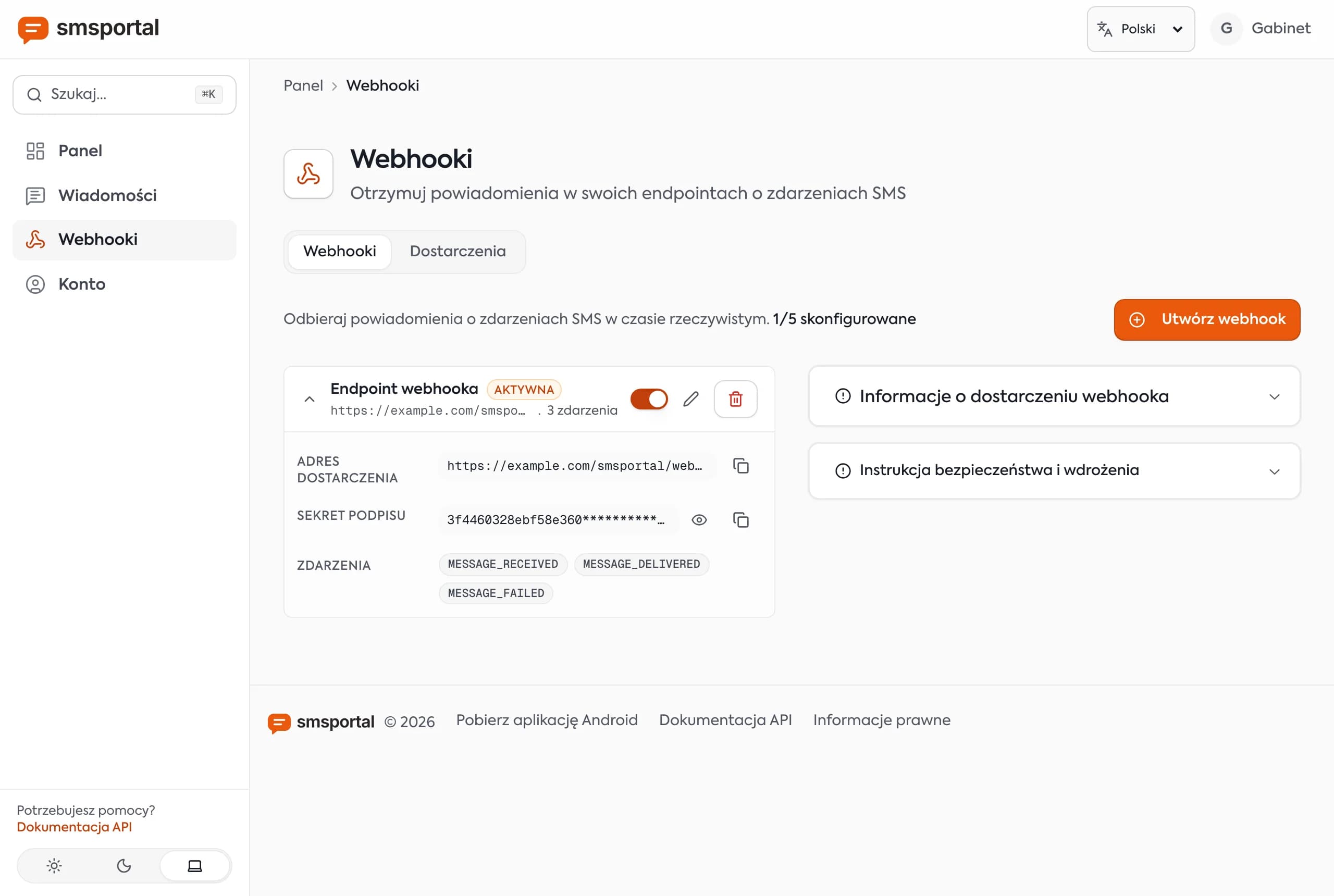
In production, avoid polling loops. Configure a webhook for MESSAGE_SENT, MESSAGE_DELIVERED and MESSAGE_FAILED and let the server notify you. Signature verification (X-Signature) is shown in receive SMS replies with webhooks.
How do you send in bulk or schedule a message?
Use POST /gateway/send-bulk-sms for different text per recipient, and add scheduledAt for a later send. The request shape stays the same.
const res = await fetch('https://smsportal.app/api/v1/gateway/send-bulk-sms', {
  method: 'POST',
  headers,
  body: JSON.stringify({
    messages: [
      { recipients: ['+14155550101'], message: 'Anna, your visit is tomorrow at 10:00.' },
      { recipients: ['+16475550187'], message: 'Peter, your visit is tomorrow at 11:30.' },
    ],
  }),
})
On a dual-SIM phone add simSubscriptionId to choose the SIM; otherwise the phone's default SIM is used. A scheduled send is ideal for appointment reminders.
How fast will a script send?
Your script can fire requests quickly, but the phone sends messages with a pause, 5 seconds by default. That is about 12 texts per minute, or roughly 720 per hour, per phone. The server releases large sends in waves matched to that delay.
Do not spawn thousands of parallel requests. For higher volume, connect several phones. For blasts to tens of thousands of recipients, a wholesale provider is the right tool. Also watch length: 160 characters fit one GSM-7 segment, but one accented letter or emoji switches the message to UCS-2 with 70 characters per segment.
What should you build next?
Once sending works, add inbound replies and automation. A customer's "YES" arrives as a MESSAGE_RECEIVED webhook event.
- Replies and delivery events: receive SMS with webhooks.
- No-code flows: send and receive SMS in n8n.
- Full field reference: the API docs and the pillar guide.
To start, create a free account, connect a phone and send the first text to your own number.
Frequently asked questions
How to send SMS using Python for free?
Use the requests library to POST to the smsportal API with your API key. The text is sent from your own SIM, so you pay only your mobile plan (often unlimited texts) and there is no per-message fee from smsportal. The free plan covers testing. No SMS service is free in an absolute sense, since a carrier always delivers the message.
How do I send a text message in Node.js?
In Node.js 18 or newer, call the built-in fetch with method POST, the x-api-key header and a JSON body containing recipients and message. Check res.ok, because a 200 response only means the job was accepted. The smsBatchId in the response lets you check the delivery status later.
How do I send SMS with PHP?
Use PHP's cURL extension: set CURLOPT_POST, the x-api-key and Content-Type headers, and a json_encode body with recipients and message. Read the status with curl_getinfo(CURLINFO_HTTP_CODE) and treat anything other than 200 as an error.
Is there an official SMS library for Python, Node.js or PHP?
No. smsportal has no official npm, pip or Packagist package. The API is plain HTTP with one header, so requests, fetch or cURL work directly and keep your dependencies small.
How do I check whether the SMS was delivered?
Call GET /gateway/messages with the smsBatchId returned at send time. The status field is pending, dispatched, sent, delivered or failed. For production, receive MESSAGE_DELIVERED and MESSAGE_FAILED events by webhook instead of polling.