Bulk SMS From a CSV or Excel File: Step by Step (With Variables in the Text)
Send bulk SMS from Excel or Google Sheets with your own Android phone: export UTF-8 CSV, map columns, use {{ name }} variables, and expect about 720 SMS/hour.
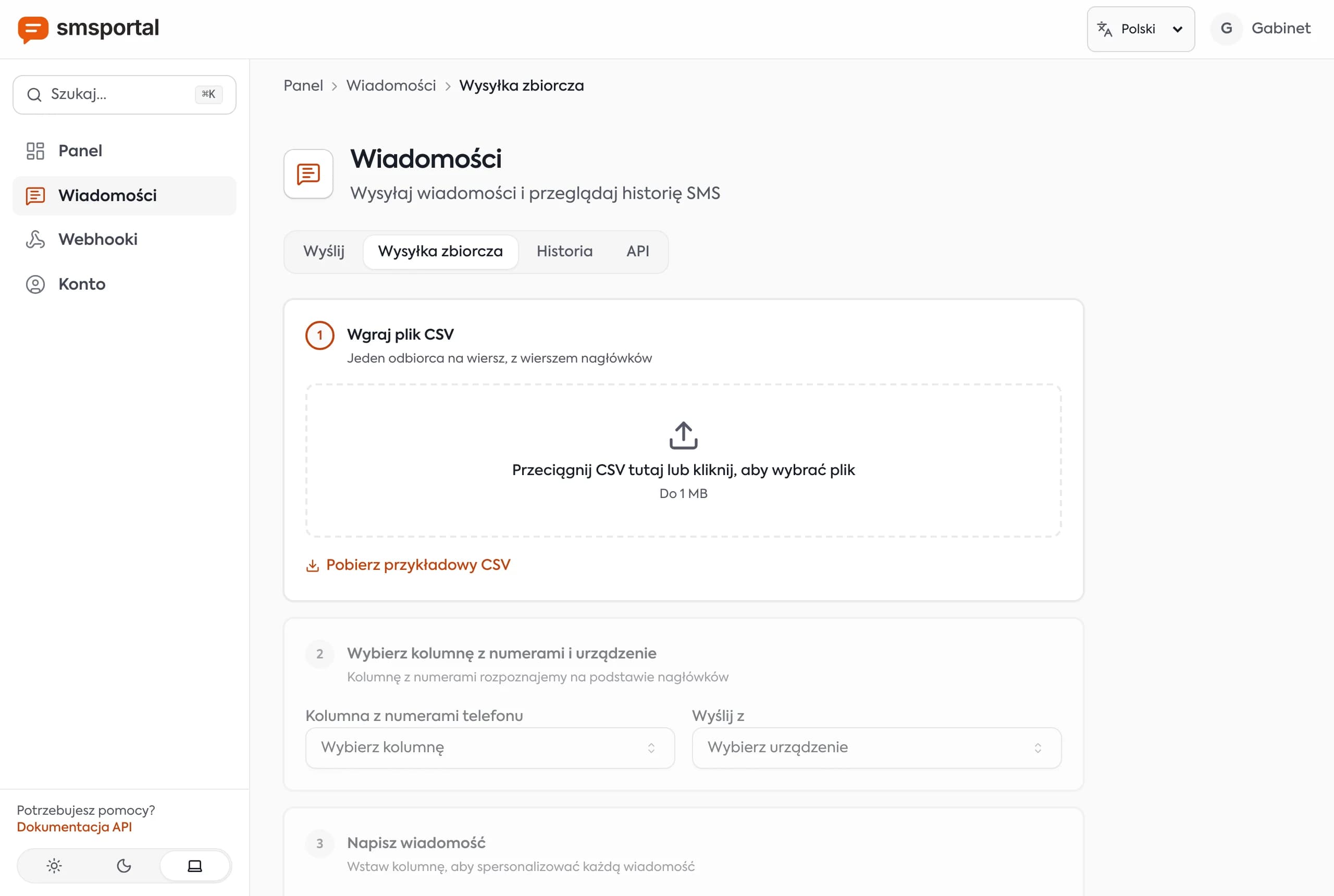
Bulk SMS from a CSV file is the quickest way to send personalized texts to a list: order confirmations, appointment reminders, pickup notices. This guide covers exporting from Excel or Google Sheets, phone number format, the three steps in the smsportal dashboard (upload, map columns, use variables), realistic sending speed and the honest limits. Messages go out from your own number, so recipients can reply.
How do you send SMS from Excel or CSV in three steps?
Upload the CSV in the dashboard, tell it which column holds the phone numbers, and write the text with variables like Hi {{ name }}. The dashboard fills in each row, shows a preview, and sends every recipient their own message from the phone you choose.
The full flow in Bulk send has four stages:
- Upload the file. Drop a CSV with a header row (one row per recipient). The file limit is 1 MB. You see the row and column counts and a preview of the first five rows, so a mis-split file is obvious immediately. A sample CSV is available for download.
- Map the phone column and pick the device. The dashboard guesses the column from the header (such as
phone,mobile,tel) and you can change it. Choose the device that sends the messages, and the SIM if the phone has two. A summary shows how many people will receive a message, and how many rows are empty, invalid or duplicates. - Write the message with variables. Click a column name to insert it, for example
{{ name }}. Below the field you see the character count and number of segments, and a preview for the selected recipient (step through recipients with the arrows). If you reference a column that does not exist, the dashboard warns that the placeholder will be empty. - Review and send. The summary lists the message count, the device and the skipped rows with reasons. For large sends you get an estimated duration. Nothing is sent until you confirm.
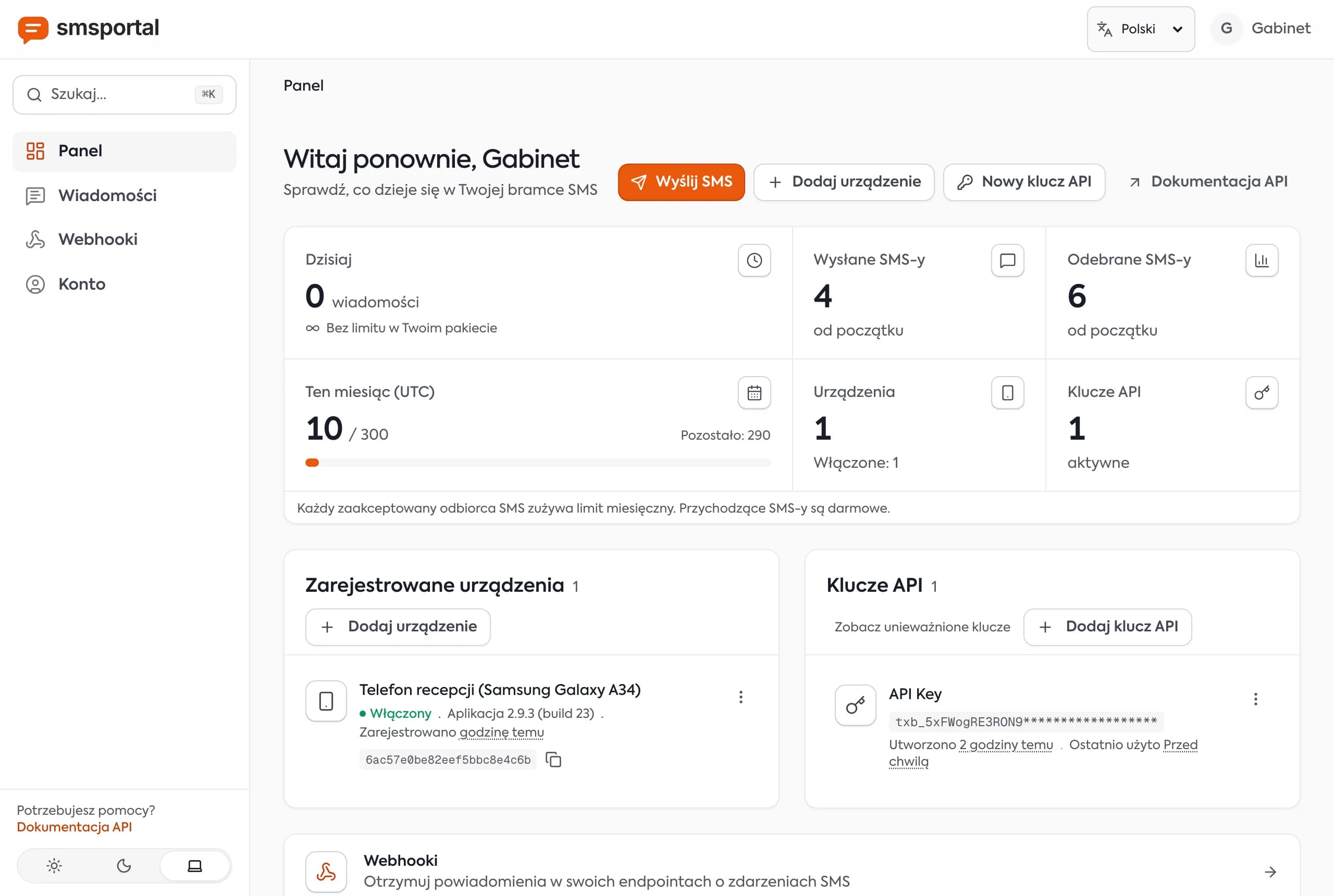
Afterwards, each message's status (queued, sent, delivered, failed) appears in message history.
Tip: before sending to a thousand people, send a three-row file to your own numbers. You will see exactly what recipients see and whether the variables filled in.
How do you export Excel or Google Sheets to UTF-8 CSV?
Save the sheet as CSV UTF-8. UTF-8 keeps accented letters and special characters intact. Older "CSV" exports from Excel use a Windows code page, which can garble names such as "Łukasz" or "José".
- Excel: File → Save As → file type CSV UTF-8 (Comma delimited). In regional versions that use semicolons, the dashboard usually detects the separator, but always check the preview after upload.
- Google Sheets: File → Download → Comma-separated values (.csv). Sheets exports UTF-8.
Prepare the data like this:
- first row: simple column names without spaces, such as
name,phone,time(easier to type as{{ name }}), - one phone number per row,
- delete blank rows and columns you do not need,
- format the phone column as text, because Excel can turn
+14155550101into a number and drop the plus or show1.42E+10.
A sample file:
name,phone,order_id,total
Alice Johnson,+14155550101,ORD-1042,49.99
Bob Martinez,+16475550187,ORD-1043,128.50
Dana Chen,+12065550142,ORD-1044,32.00
What phone number format should the CSV use?
Use E.164: a plus sign, country code and number, no spaces, for example +14155550101 or +48600100200. The dashboard removes spaces, dashes and brackets, so +1 (415) 555-0101 works too, but a number without a country code is ambiguous to the carrier.
What the dashboard checks before sending:
- rows with no number are skipped,
- values that cannot be a phone number (fewer than 7 or more than 15 digits, or odd characters) are rejected as invalid,
- duplicates in the file receive one message,
- the skipped rows are listed with row number and reason in the summary.
The check only decides whether a value could be a number. Whether it exists and is reachable is up to the network, so look at "failed" statuses after sending. For a mixed-country list, include the country code on every row.
How do you personalize the text with {{ column }} variables?
Put a column name in double curly braces and the dashboard replaces it with that row's value. With the sample file, Hi {{ name }}, your order {{ order_id }} is confirmed. Total: ${{ total }}. produces three different messages.
A few rules:
- the name in braces must match the column header,
- click the column chip above the text box to insert it without typos,
- preview several recipients, including the one with the longest name,
- watch the length. A single non-GSM character (an accented letter, a curly quote, an emoji) switches the message to UCS-2, which fits 70 characters per segment instead of 160, and variables can push you past the limit. The counter shows the segments.
Note: keep sensitive data (health, finances) out of SMS. It is not a confidential channel. For ready-made texts, see appointment reminder SMS.
How many SMS per hour can a phone send, and how do you go faster?
At the default 5-second delay between messages, one phone sends about 12 SMS per minute, which is roughly 720 per hour. The server releases large sends in waves that match this delay, and the phone sends them one by one.
| Recipients | Time from one phone (5 s delay) |
|---|---|
| 100 | about 8 minutes |
| 500 | about 42 minutes |
| 1,000 | about 1 hour 23 minutes |
| 5,000 | about 7 hours |
Above 500 recipients the review step shows a warning with the estimated time. It is advisory only and does not block the send. During that time the phone needs power, signal and internet. Tips for keeping it healthy are on the reliability page.
To increase throughput:
- Add more phones. Split the file and send each part from a different device. Two phones roughly double the hourly rate.
- Do not shorten the delay without reason. A longer pause is safer for your account with the carrier. You set it in the app.
Your plan may cap the rows per send. If a file is too big, the dashboard tells you to split it. Current limits are on the pricing section.
When is bulk sending from your own number a bad idea?
When you want to send ads to people who did not agree to them, or to run a campaign to tens of thousands of numbers. Your own phone fits messages that customers expect or asked for, not blind blasts.
Three honest warnings:
- Opted-in contacts only. Sending marketing texts without prior consent is illegal in many countries and creates complaints. In the US, see the TCPA rules from the FCC and our explainer on 10DLC. Service messages about a booking or order are a different category from promotions. This is not legal advice.
- Carriers can block mass sending from a consumer SIM. Consumer plans are meant for ordinary use, and their terms often restrict automated and bulk messaging. Keep a sensible pace, check your carrier's terms, and do not send thousands of messages in a short burst from one SIM.
- For tens of thousands of recipients, use a wholesale provider. It gives you a registered sender, carrier-approved routes and throughput in the thousands per minute. See when a gateway is not the right fit and the cost comparison.
Your own number wins where conversation matters: customers reply and the reply lands in the dashboard, API and webhooks. If you want to learn the basics first, start with what an Android SMS gateway is.
Try it with a CSV of your own
Create a free account, connect a phone with the Android app, download the sample file from the dashboard and send your first batch to your own numbers. If you would rather send from code than from a file, the API docs describe a bulk endpoint with different text per recipient. This guide is also available in Polish.
Frequently asked questions
How do I send SMS from Excel to many recipients?
Save the spreadsheet as CSV UTF-8, open Bulk send in the dashboard and upload the file. Pick the phone column, choose a device and write the message with variables in double curly braces. You see a preview for any recipient before anything is sent.
What phone number format should the CSV use?
Use international E.164 format: a plus sign, the country code and the number, for example +14155550101. The dashboard strips spaces, dashes and brackets, skips empty rows and flags invalid numbers and duplicates, and shows the skipped rows before you send.
How many texts per hour can one phone send?
With the default 5-second delay between messages, one phone sends about 12 SMS per minute, or roughly 720 per hour. You can change the delay in the app. To go faster, add more phones and split the file between them.
Can I send promotional texts to my whole customer list?
Only to people who opted in to receive marketing texts. Texting without consent can break the law in many countries, and carriers may block bulk sending from a consumer SIM. For lists of tens of thousands, use a wholesale provider.
Is this suitable for campaigns of tens of thousands of recipients?
No. A phone with your own SIM suits hundreds to a few thousand messages, transactional alerts and two-way conversations. Campaigns of tens of thousands need a wholesale provider with carrier agreements, throughput in the thousands per minute and sender registration.