

Customer replies and STOP in WordPress
Updated:
A customer can reply to an SMS from your site. The plugin collects such replies and makes sure a person who does not want SMS stops getting them.
Where you see a reply
- Under Replies: columns From, Reply and In reply to.
- In the WooCommerce order as a private note: "SMS reply from the customer: …".
- By e-mail, if that option is on.
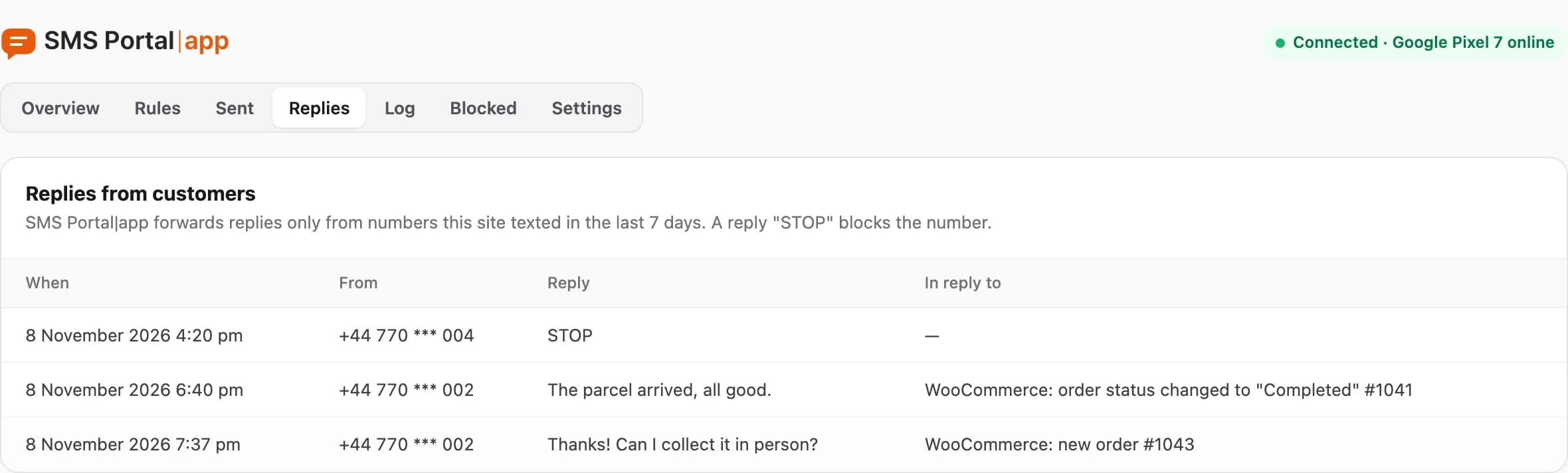
SMS Portal|app forwards only replies from numbers this site texted in the last 7 days. Other messages that reach your phone stay in the SMS Portal|app dashboard and do not go to WordPress. They are covered in receiving replies.
An e-mail about each reply
Open Settings and in the "Customer replies" section tick or untick "Send me an e-mail about each reply". The address that will get the message is shown in brackets. Save the settings.
STOP: the customer opts out
When a customer replies with one of the words STOP, STOP SMS, NIE, REZYGNUJE or UNSUBSCRIBE, the plugin:
- adds their number under Blocked with the reason "Replied STOP",
- sends no more SMS to that number from this site,
- marks in the reply e-mail that it is an opt-out word.
A later SMS to such a number gets the status "Blocked (STOP)" and is not sent. The number stays on the list until you remove it.
The Blocked tab
The table has the columns Number, Since, Why and Actions. The reason is "Replied STOP" or "Added by hand".
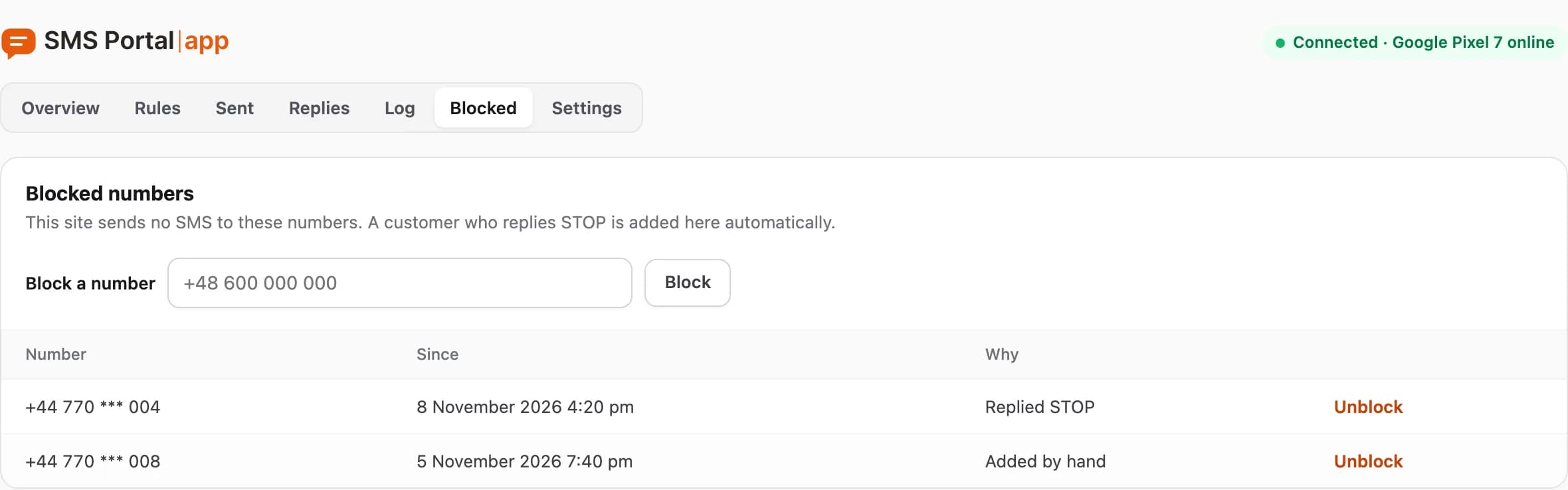
- Block a number: type the number and click Block. The site sends no SMS to it. The plugin rejects a number that is not valid.
- Unblock: click it next to a number so it can get SMS again. Do this only when the customer asked for it.
Blocked numbers stay even when old messages disappear after 90 days, because the list protects the customer from another SMS.
What next
Statuses of sent messages: Sent and Log. Consent rules: SMS consent and opt-out.
Questions and answers
- Will other SMS from my phone reach WordPress?
- No. Only replies from numbers this site texted in the last 7 days reach the site.
Related guides
Didn’t find the answer? Contact us