

The Sent and Log tabs in the plugin
Updated:
This is where you check what happened to each message. Phone numbers are partly hidden to protect your customers.
The Sent tab
Each SMS has a row with the number, event, text and status.
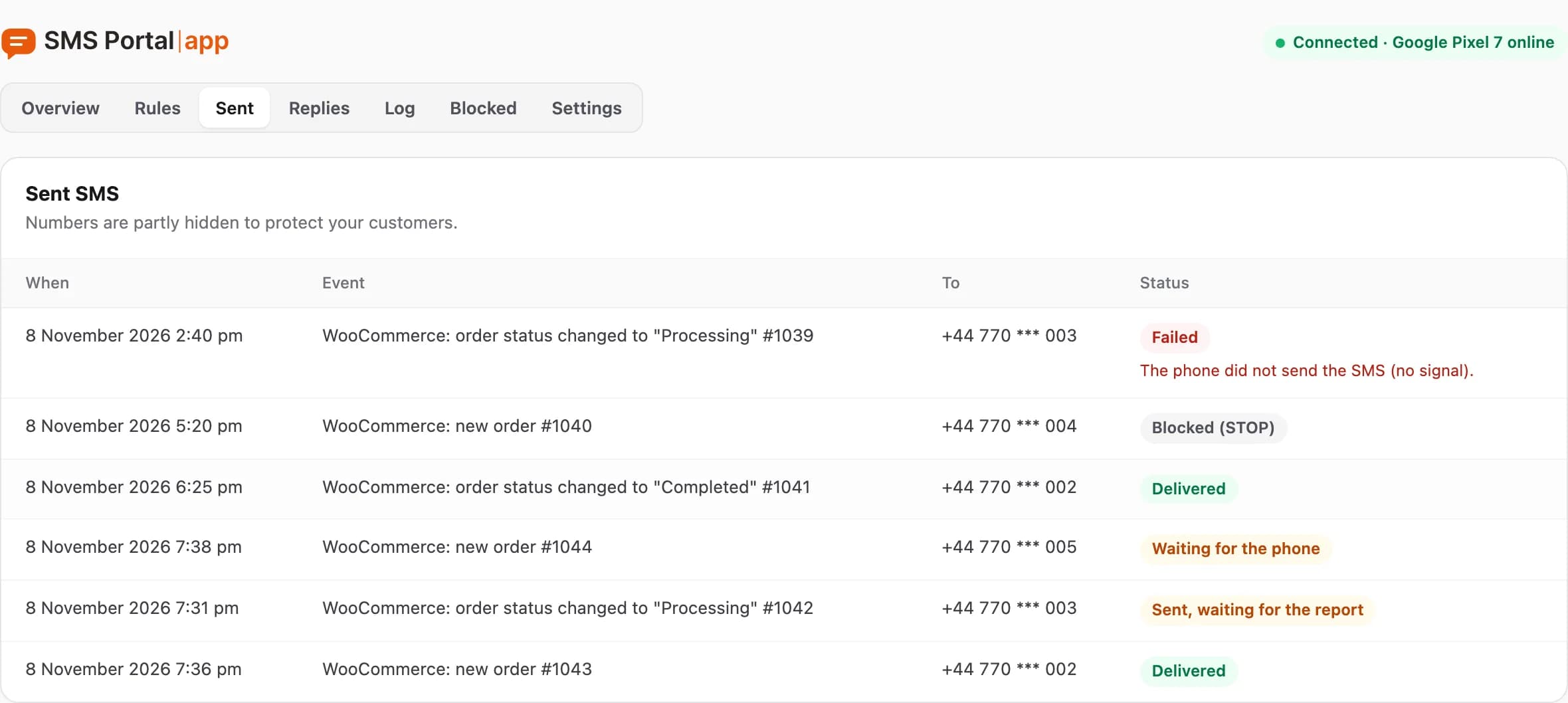
| Status | What it means |
|---|---|
| Queued | Waiting to be sent in the background. |
| Sending | The plugin is handing the SMS to SMS Portal |
| Waiting for the phone | SMS Portal |
| Sent, waiting for the report | The phone sent the SMS; the delivery confirmation is still missing. |
| Delivered | The carrier confirmed delivery. |
| Failed | The SMS did not work out. The reason is shown with the message. |
| Expired | The phone was offline longer than the rule allows (12 hours by default). The SMS was dropped. |
| Blocked (STOP) | The number is on the block list. |
| Plan limit | The SMS limit of your plan is used up. The SMS is not retried. |
| Stopped by the safety limit | The limit per number, country or rule kicked in. The reason is shown with the SMS. |
If "Waiting for the phone" lasts long, check the phone shows "offline".
Retries
When SMS Portal|app is briefly unavailable or refuses because of too many requests, the plugin retries after 1 minute, then after 5 minutes, and finally after 15 minutes. It sends in the background, so the site does not slow down. A retry does not send the customer two SMS, because each event sends at most one.
The status "Plan limit" is not retried. New events send SMS once the limit resets or you change the plan.
The Log tab
This is the "Connection log": technical events between the plugin and SMS Portal|app. The columns are When, Type and Details.
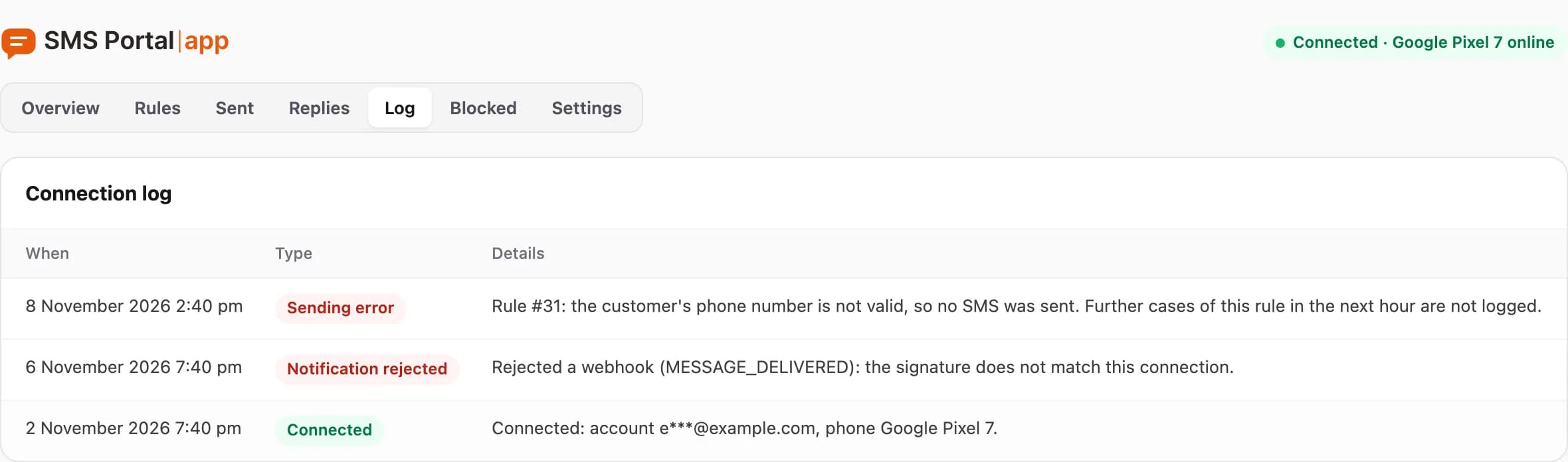
Entry types:
- Connected and Disconnected: the connection was made or ended,
- Authorization error: the access key stopped working,
- Notification rejected: a notification from SMS Portal|app had a signature that did not match this connection,
- Sending error: sending failed,
- Safety limit: an SMS was stopped (e.g. a number outside the allowed countries),
- SMS from code: an entry about an SMS sent from your own code.
Further stops of the same rule within an hour are not logged. You see them under Sent.
How long it is kept
Sent SMS, replies and technical logs are deleted after 90 days.
What next
A message does not go out? See WordPress troubleshooting.
Related guides
Didn’t find the answer? Contact us